TOP 5 MAIN DATA STRUCTURES IN JAVASCRIPT

WHAT ARE DATA STRUCTURES?
Data structures, at a high level, are techniques for storing and organizing data that make it easier to modify, navigate, and access. Data structures determine how data is collected, the functions we can use to access it, and the relationships between data. Data structures are used in almost all areas of computer science and programming, from operating systems to basic vanilla code to artificial intelligence.
Data structures enable us to:
- Manage and utilize large datasets
- Search for particular data from a database
- Design algorithms that are tailored towards particular programs
- Handle multiple requests from users at once
- Simplify and speed up data processing
Data structures are vital for efficient, real-world problem solving. After all, the way we organize data has a lot of impact on performance and usability. In fact, most top companies require a strong understanding of data structures. These skills demonstrate that you know how to manage your data effectively. Anyone looking to crack the coding interview will need to master data structures.
JAVASCRIPT DATA STRUCTURES
BINARY SEARCH TREE:
When we think of a binary search tree, the three things we should think of are:
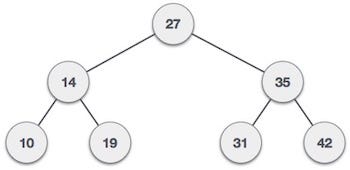
- Root: This is the very top node of a tree structure and does not have a parent.
- Parent: It is a child of a node but also the parent of a node.
- Child: This node is the child of a node and does not necessarily have a child.
In a binary search tree, each node either has zero, one or two children. The child on the left is called the left child, and the child on the right is the right child. In a binary search tree, the child on the left must be smaller then the child on the right.
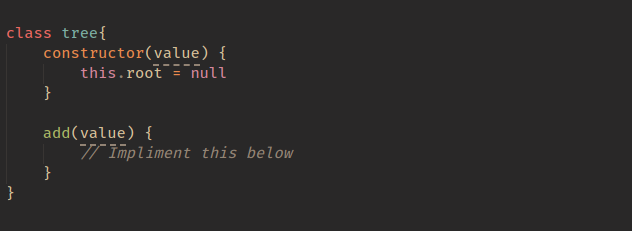
The core class for a tree would look like:
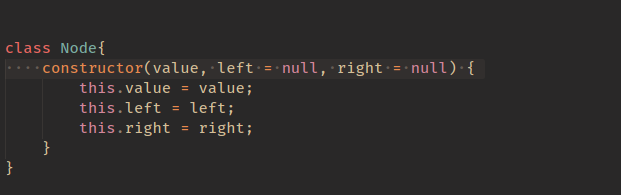
We’ll also create a Node class to represent each of out nodes.
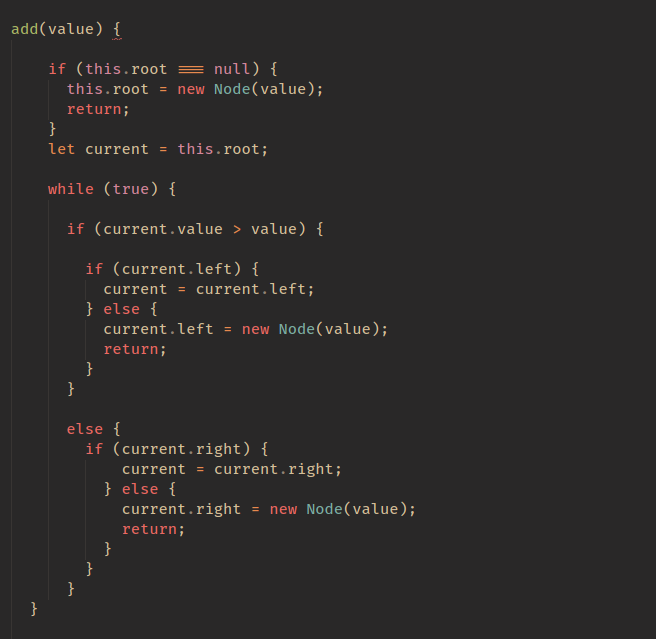
Let’s implement the add method. I have commented the code very well, but if you find it confusing, just remember that all we are doing from our root and chekong the left and right of each node.
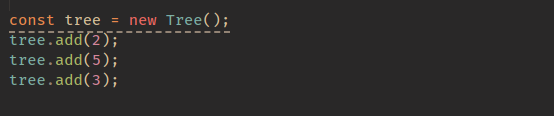
Let;s test our new add method like so:
STACK
This is quite similar to the queue, and you may have heard of the call stack before, which is what JavaScript uses to handle events.
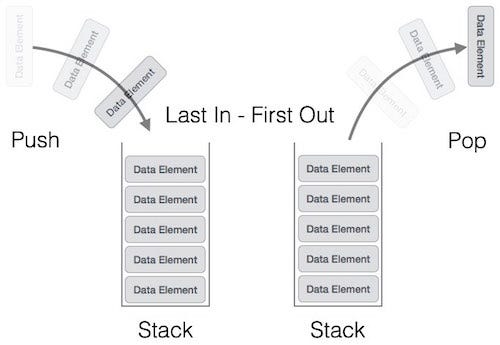
when you have a stack, the last item you pushed on the stack will be the first one removed. This is referred to as last-in, first-out (LIFO). The back button in web browsers is a good example: each page you view is added to the stack, and when you click back, the current page (the last one added) is popped from the stack.
That is enough theory. Let’s get into some code:
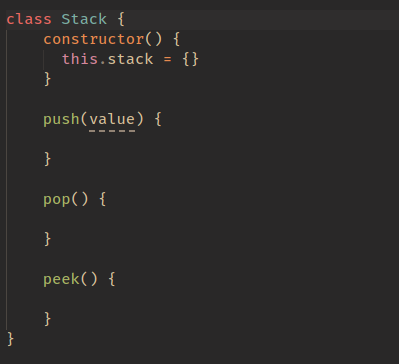
I’ve commented the above code, so hopefully you are with me up to this point. The first method we will implement is the push method.
So let’s think about what we need this method to do:
- We need to accept a value
- We then need to add that value to the top of our stack
- We also should track the length of our stack so we know our stack’s index
It would be great if you could try this yourself first, but if not, the complete push method implementation is below:
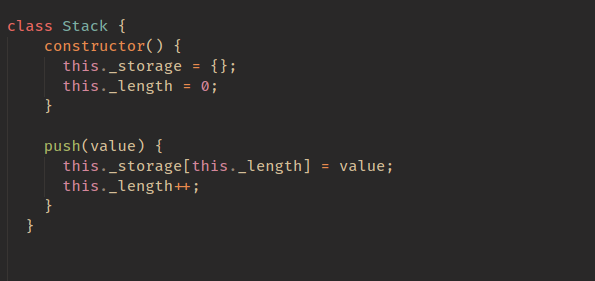
I bet it was easier than you thought. I think with a lot of these structures, they sound more complicated than they actually are.
Now let’s get to the pop method. The goal with the pop method is to remove the last value that was added to our stack and then return that value. Try this yourself first if you can, otherwise just continue on to see the solution:
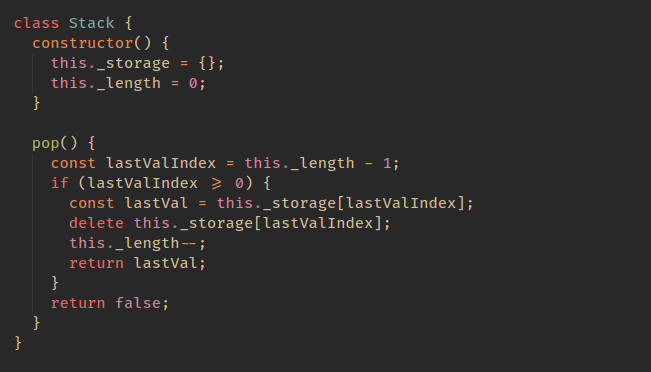
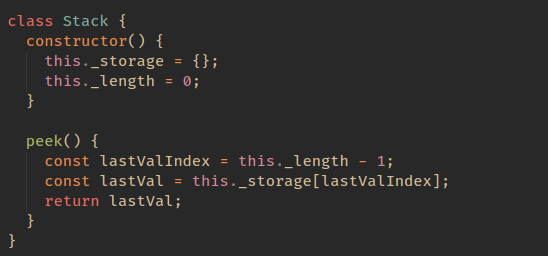
The last thing we need to do is the peek function, which looks at the last item in the stack. This is the easiest function: we simply return the last value. Implementation is:
QUEUE
The key difference between the stack and the queue is that the queue is first-in, first-out (FIFO). There have been a few comments on this article asking why not use an array here, so as a contrast to the above, we will use an array for this data structure.
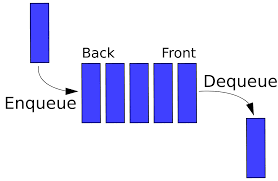
he two big actions are enqueue and dequeue. We add to the back and remove from the front. Let’s get into implementing a queue to get a better understanding. I had previously used an object here, but I have updated it now to use an array. For the stack data structure, you can also do this approach.
The core structure of our code will look like this:
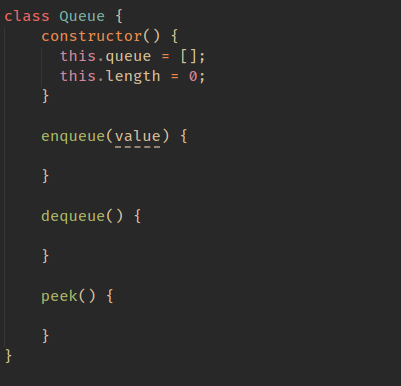
let’s first implement our enqueue method. Its purpose is to add an item to the back of our queue.
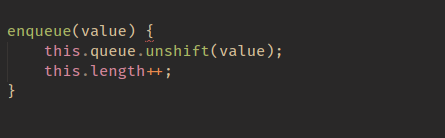
This is quite a simple method that adds a value to the end of our queue, but you may be a little confused by
this.queue[this.length + this.head] = value;
Let’s say our queue looked like this{14 : 'randomVal'}. When adding to this, we want our next key to be 15, so it would be length(1) + head(14), which gives us 15.
The next method to implement is the dequeue method:
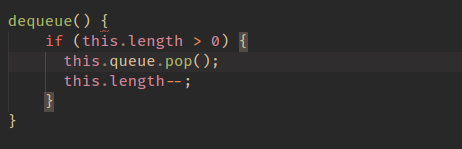
The final method to implement is the peek method, which is an easy one:

LINKED LIST
This is more complicated than our structures above, but together, we can figure it out.
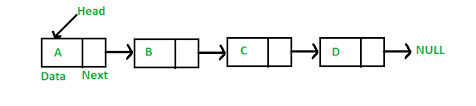
The first question you might ask is why we would use a linked list. A linked list is mostly used for languages that do not have dynamic sizing arrays. Linked lists organize items sequentially, with each item pointing to the next item.
The first thing we are going to create is a Node class.
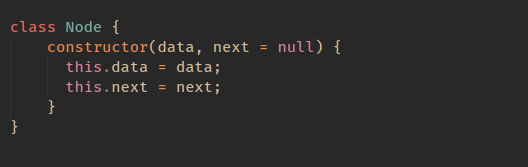
The above represents each node in our list.
With a class for our Node, the next class we need is our LinkedList.
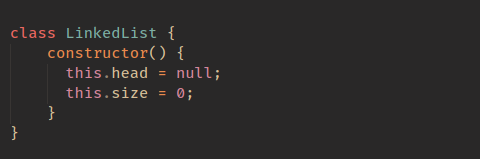
So as we explained above, our LinkedList as a head, which is first set to null (you could add an arg to your constructor to set this if you wanted). We also track the size of our linked list.
The first method we are going to implement is insert; this will add a node to our linked list
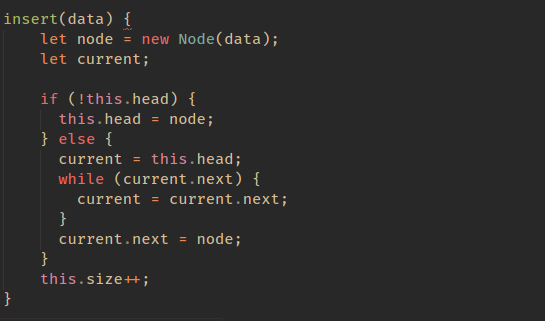
I have commented the code above to make it easier to understand, but all we are doing is adding a node to the end of the linked list. We can find the end of our linked list by finding the node that has a next value of null.
The next method we are going to implement is removeAt. This method will remove a node at an index.

So the method above will remove a node at a specific index. It does this by updating the next value to point at the next node in the list until we reach the index. This means that no node will be pointing at the node at the index, so it will be removed from our list.
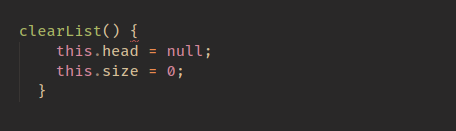
The final (easiest) method left to do is clearList.
HASH TABLE
A hash table is a data structure that implements an associative array, which means it maps keys to values. A JavaScript object is a hash table, as it stores key-value pairs.
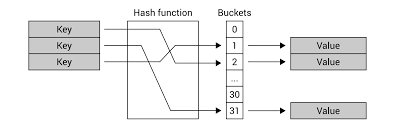
With the hashing function covered, it’s time to talk about how we would implement a hash table.
The three operations we will discuss are insert , get , and, finally, remove.
The core code to implement a hash table is as follows:

let’s tackle our first method, which is insert The code to insert into a hash table is as follows.
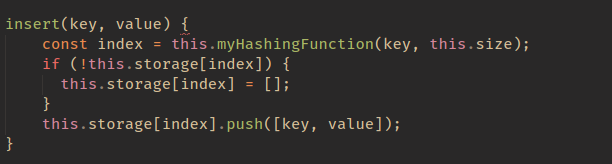
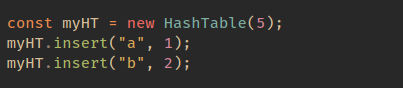
So if we were to call the insert method like so:
Now how would we remove from a hash table?
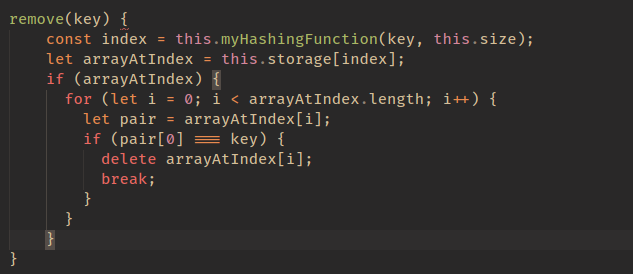
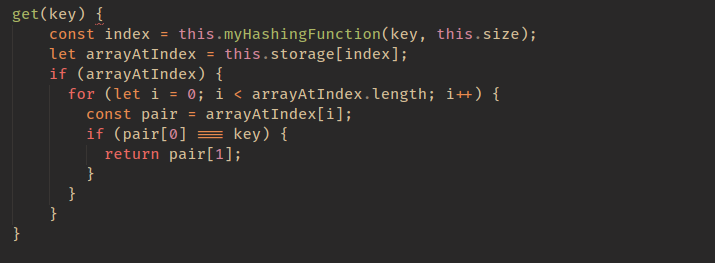
The final method we will implement is the get method. This is the same as the remove method, but this time, we return the pair rather than delete it.